
Dealing with a printer offline at home Melbourne? Learn why it happens, easy fixes to try, pricing expectations, and when in-home IT support is the easiest solution.
Why a Printer Showing “Offline” Is So Frustrating
When a printer suddenly shows as offline, it can stop everything—printing medical forms, schoolwork, or important documents. For seniors and busy families, this problem often appears without warning, even though the printer was working fine before.
Across Melbourne, this is one of the most common reasons people book in-home IT support.
The good news is that most “offline” printer problems are setup or connection issues, not broken hardware.
Common Reasons a Printer Goes Offline at Home
Printers rely on several things working together. When one part fails, the printer can appear offline.
Common causes include:
Wi-Fi connection problems
Router or modem changes
Printer going into sleep mode
Computer updates removing the printer
Multiple devices confusing the setup
Old or incorrect printer drivers
For seniors, these issues are especially confusing because nothing obvious looks “wrong”.
Simple Checks You Can Try First
Before calling for help, there are a few safe things you can check:
Make sure the printer is powered on
Check the Wi-Fi light on the printer
Restart the printer and computer once
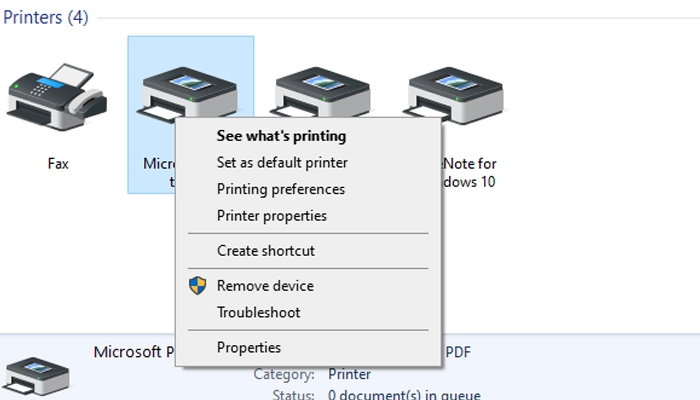
Ensure the printer is set as “default”
Try printing from one device only
If the printer still shows offline, it’s best not to keep guessing, as repeated changes can make the problem harder to fix.
Why DIY Fixes Often Don’t Last
Many people try:
Reinstalling the printer app
Reconnecting to Wi-Fi repeatedly
Resetting the printer
These steps can work temporarily, but the printer often goes offline again because the underlying network or driver issue wasn’t fixed properly.
How In-home IT Support Fixes Printer Offline Issues
A professional technician can:
Correctly reconnect the printer to Wi-Fi
Remove duplicate or broken printer profiles
Install the correct drivers
Set up printing from computers, phones, and tablets
Test everything before leaving
👉 This is where On-site IT support Melbourne is especially helpful, as the technician can see the full home setup in real time.
What to Expect During a Printer Support Visit
A typical in-home visit includes:
Checking the printer and network
Fixing the connection properly
Setting up all required devices
Clear explanations in plain English
Test prints completed before leaving
This approach is calm, patient, and ideal for seniors.
Pricing Expectations in Melbourne
Most in-home printer support services charge:
Call-out + first hour: $120–$160
Additional time: $30–$50 per 30 minutes
The final cost depends on:
Number of devices
Network complexity
Printer type
Good providers always explain pricing upfront.
When You Should Call for Professional Help
It’s time to arrange in-home IT support if:
The printer keeps going offline
Multiple devices won’t print
Printing is needed for health or work reasons
You’re unsure what’s safe to change
Most printer offline problems are resolved in one visit.
Frequently Asked Questions
No. Most of the time it’s a connection or setup issue.
Yes, if drivers and Wi-Fi are set up correctly.
Yes, this is commonly included.
Yes, reputable services use verified technicians.
Most visits take 30–90 minutes.
Yes. Printer offline at home Melbourne is one of the most frequent reasons people book in-home IT support.
Conclusion
A printer showing offline doesn’t mean it needs replacing. If you’re dealing with a printer offline at home Melbourne, professional in-home IT support can fix the issue properly, explain what went wrong, and make sure it stays working.
Need On-Site IT Support in Melbourne?
If technology problems at home are becoming frustrating, Fixable provides friendly in-home IT support across Melbourne.
Our technicians can visit your home and help with computers, Wi-Fi, printers, email setup, and device troubleshooting — all explained in simple terms.
Helpful Technology Guides
Computer Running Slow Melbourne
Wireless Printer Setup Melbourne
Slow Internet Speeds at Home Melbourne
Help Removing Computer Virus Melbourne
Areas We Service
Fixable provides in-home computer help across Melbourne suburbs including Brighton, Camberwell, Balwyn, Kew, Doncaster, Glen Waverley, Hawthorn and surrounding areas.