
Printer Says Offline? Here’s What Actually Happened
The offline error is almost never a broken printer. Here’s the real cause — explained simply — and what fixes it for good.
You press print. Nothing happens. You look at the printer. It’s on. The Wi-Fi light is green. But the computer says “offline.”
I fix this exact problem every week. Across Balwyn, Box Hill, Doncaster, Glen Waverley — same error, same confusion, same easily fixable cause.
Here’s the truth: your printer is almost certainly fine. The offline error is a communication breakdown between your computer and printer. Not a hardware fault. Not a sign you need a new printer.
Let me show you what’s actually happening — and why it keeps coming back.
Why your printer says offline
Your printer and computer talk through your home network. They find each other using a hidden address — like a street number, but for devices.
When something changes on your network — a router restart, a new internet provider, a Wi-Fi password update — your printer gets a new address. Your computer still has the old one saved. They try to talk. Nothing. Offline.
Your computer looks for the printer’s old address. The printer moved to a new one. They can’t find each other. That’s the offline error.
This is why restarting the printer doesn’t fix it. The printer isn’t broken. Your computer’s saved address is out of date.
The top four things that trigger it in Melbourne homes
Most offline errors happen right after one of these:
- Router restart or power cut — most common. The router hands out fresh addresses to everything. The printer gets a new one. Computer doesn’t know.
- New internet provider — Aussie Broadband and Superloop are huge in Melbourne right now. When people switch, the new router starts a new network. The printer needs to relearn its place in it.
- Wi-Fi password change — printer still tries to join with the old password. Can’t connect. Shows offline.
- Windows Update overnight — Windows quietly updates the printer driver. Sometimes the update breaks the saved connection settings.
The offline error — what it looks like step by step
The offline error shows because the computer’s request timed out — not because the printer is broken.
Three things that are safe to try yourself
Try these in order. Stop when one works.
- Restart everything. Turn off the printer. Restart the router (unplug, wait 30 seconds, plug back in). Wait two minutes. Turn the printer back on. Try printing. This fixes about 20% of offline errors.
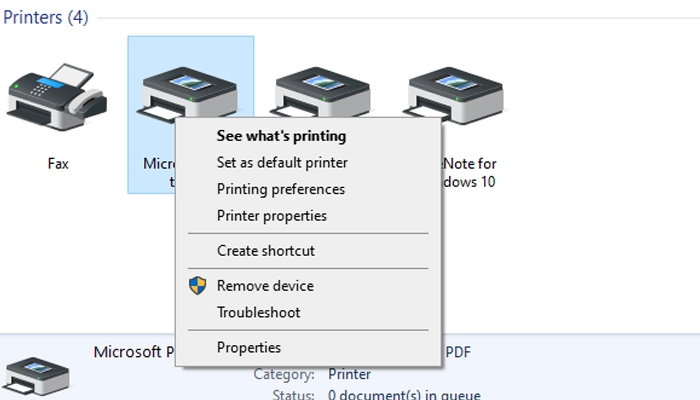
- Remove and re-add the printer. On Windows: Settings → Bluetooth & devices → Printers & scanners → click your printer → Remove. Then click Add device. This makes your computer search fresh for the printer’s new address.
- Set the printer to use a default device. Go to Printers & scanners → click your printer → Set as default. Sometimes Windows picks a phantom printer driver instead of the real one.
Why it keeps coming back
You fix it. A week later — offline again.
That’s because the root problem wasn’t fixed. The printer still gets a different address every time the router restarts. Your computer still saves the old one.
The permanent fix has two parts:
- Give the printer a fixed address — called a static IP or DHCP reservation. You set this in the router settings. The printer always gets the same address, every time, no matter how many restarts. Your computer always finds it.
- Clean up old printer entries — Windows often keeps duplicate printer drivers from old installs. These ghost entries confuse the queue. A clean reinstall of the correct driver removes them all.
Most people don’t know these steps exist. Which is why the offline error keeps coming back after a “fix” that only solved the symptom.
Fix by brand — HP, Canon, Epson, Brother
Each brand handles the offline error slightly differently. Here’s the fastest path for each.
HP printers (DeskJet, OfficeJet, ENVY)
Download HP Print and Scan Doctor from support.hp.com — it automatically detects and fixes HP offline errors. If it can’t fix it, download the Full Feature Driver for your exact model. Not the basic one. The full one.
Canon printers (PIXMA, MAXIFY)
Go to ij.Manual.Canon. Search your model. Download the MP Drivers package. Run a full uninstall of the existing Canon software first, then reinstall. Canon’s offline errors almost always trace back to a corrupted driver from a Windows Update.
Epson printers (EcoTank, WorkForce)
Download Epson Scan 2 and the full driver package from Epson.Com.Au. Epson’s offline error is often caused by the printer and computer being on different Wi-Fi bands — printer on 2.4GHz, computer on 5GHz. Reconnecting the printer to the right band fixes it immediately.
Brother printers (MFC, DCP)
Go to Support.Brother.Com.Au. Download the Full Software & Driver Package. Brother offline errors are most commonly caused by the printer’s saved network address changing after a router swap. The full reinstall rediscovers the correct address automatically.
Frequently asked questions
Almost never. Offline means your computer and printer lost contact on the network. The printer hardware is usually perfectly fine. The fix is restoring that contact — which takes 20 to 45 minutes in most Melbourne homes.
Every time your router restarts, it hands out fresh network addresses. Your printer gets a new one. Your computer still has the old one saved. The permanent fix is giving your printer a static address that never changes — something I set up during a visit.
A new provider means a new router and a new network. Your printer still remembers the old one. It needs to be reconnected to the new network from scratch — a process that takes about 20 minutes and that I can do as part of a visit.
The Wi-Fi light means the printer connected to the router. But your computer is looking for the printer at a different address than where it actually is. They’re both on the network — they just can’t find each other. This is the most common version of the offline error.
$89 per hour, no call-out fee. Most offline fixes take 30 to 60 minutes when done properly — including setting a static IP, removing old drivers, and testing all devices. I give you an honest time estimate when I arrive.
Yes — a lot of the people I help in Balwyn, Box Hill, Doncaster and Glen Waverley are older residents who just need their printer working again for medical forms, photos or letters. Patient, plain English, no rushing. Everything tested before I leave.
Printer still showing offline?
I come to your Melbourne home, set a fixed address, clean up the drivers, and make sure it stays working. $89/hr, no call-out fee.