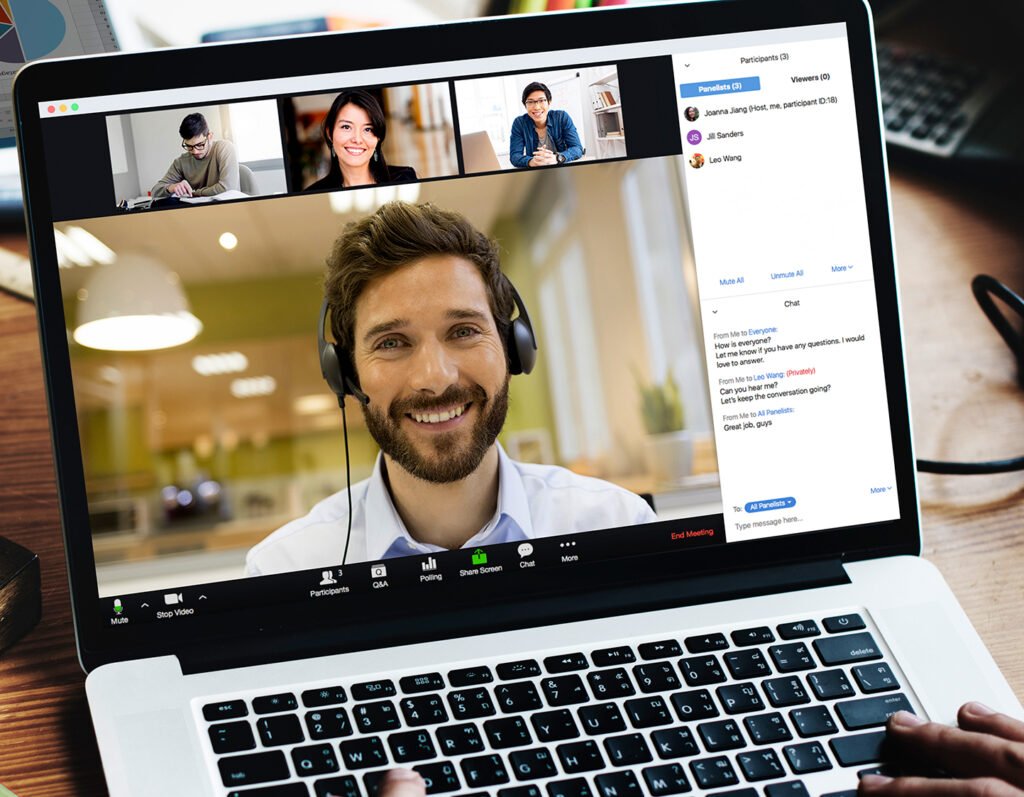
Need help setting up Zoom for seniors Melbourne? Learn how in-home IT support makes video calls easy, safe and stress-free.
Staying Connected Shouldn’t Feel Complicated
Video calling has become an important way for seniors to stay connected with:
-
Family
-
Grandchildren
-
Friends
-
Medical professionals
-
Community groups
But many seniors across Melbourne feel overwhelmed when trying to set up Zoom on their computer, laptop, iPad or phone.
Common concerns include:
-
“Where do I click?”
-
“Why can’t they hear me?”
-
“Is my camera on?”
-
“I don’t understand the link.”
That’s why help setting up Zoom for seniors Melbourne is becoming a very common in-home request.
What’s Involved in Setting Up Zoom
Proper Zoom setup usually includes:
-
Installing the Zoom app
-
Creating or signing into an account
-
Testing microphone and camera
-
Adjusting sound settings
-
Connecting to Wi-Fi
-
Understanding meeting links
-
Learning how to mute and unmute
-
Learning how to turn camera on/off
The most important part isn’t installation — it’s confidence.
Common Problems Seniors Experience with Zoom
Without guidance, many seniors encounter:
-
Microphone not working
-
Camera not detected
-
Sound echoing
-
Unable to join meeting
-
Confusion about meeting IDs
-
Email links not opening properly
-
Internet connection dropping out
Often the issue is small — but it feels big without support.
Why In-Home Zoom Setup Makes a Difference
A technician providing IT support for seniors Melbourne can:
-
Install and configure Zoom properly
-
Test microphone and camera
-
Adjust volume settings
-
Explain meeting links clearly
-
Write simple step-by-step notes
-
Ensure Wi-Fi is stable
-
Practice joining a test call
👉 This is where On-site IT support Melbourne becomes more than repair — it becomes reassurance.
Zoom Setup on Different Devices
Zoom can be set up on:
-
Desktop computers
-
Laptops
-
iPhones
-
Android phones
Each device works slightly differently, which can cause confusion.
In-home support ensures everything is set up correctly on the device you use most.
When You Should Arrange Professional Help
You may benefit from support if:
-
You’ve never used Zoom before
-
Meetings aren’t connecting properly
-
Audio or camera isn’t working
-
You feel nervous about using it
-
You want to feel confident before an important call
Sometimes one short session makes all the difference.
Pricing Expectations in Melbourne
Typical pricing for Zoom setup and instruction includes:
-
Call-out + first hour: $120–$160
-
Additional time if needed
Most Zoom setups and tutorials are completed in one visit.
Frequently Asked Questions
Do I need an account to use Zoom?
You can join meetings without an account, but having one makes things easier.
Can Zoom be installed on an iPad or iPhone?
Yes, it works well on tablets and phones.
What if my microphone doesn’t work?
Settings can usually be adjusted quickly.
Will someone show me how to mute and unmute?
Yes, step-by-step instructions are provided.
Is in-home IT support safe for seniors?
Yes, reputable providers offer patient, face-to-face help.
Is help setting up Zoom for seniors Melbourne common?
Yes. Help setting up Zoom for seniors Melbourne is a frequent request, especially for staying connected with family and appointments.
Conclusion
Video calling should bring people together — not create stress. If you need help setting up Zoom for seniors Melbourne, professional in-home IT support can install, configure, and explain everything clearly so you feel confident and connected.
Many Melbourne families trust Fixable for calm, respectful, and reliable in-home tech support.