Need help transferring data to new iPhone Melbourne? Learn the safest way to move photos, contacts and apps without losing anything.
Getting a New iPhone? Here’s What Happens to Your Data
Buying a new iPhone is exciting — until you wonder:
-
Will I lose my photos?
-
What about my contacts?
-
Will my apps transfer?
-
What happens to my email?
Across homes in Melbourne, many seniors and families feel nervous about upgrading because they don’t want to lose important memories or information.
The good news? Data can usually be transferred safely — if done correctly.
What Transfers to a New iPhone
When set up properly, the following can move across:
-
Photos and videos
-
Contacts
-
Text messages
-
Apps
-
Email accounts
-
Wi-Fi settings
-
Notes and reminders
-
App passwords (if saved correctly)
The key is ensuring everything is backed up first.
Common Problems During iPhone Data Transfer
Without guidance, many people experience:
-
Apple ID password confusion
-
iCloud storage full
-
Incomplete transfers
-
Missing photos
-
Apps asking to sign in again
-
Two-factor authentication delays
Sometimes people accidentally create a new Apple ID instead of signing into the original one — which causes major confusion.
Safe Things to Check Before Transferring
Before starting, you should:
-
Confirm your Apple ID and password
-
Check available iCloud storage
-
Ensure the old phone is backed up
-
Keep both phones charged
-
Stay connected to stable Wi-Fi
If you’re unsure about any of these steps, it’s better to pause than guess.
How In-Home IT Support Makes It Easy
A technician providing IT support for seniors Melbourne can:
-
Confirm Apple ID details
-
Perform a full backup
-
Transfer all data safely
-
Ensure photos and contacts appear correctly
-
Set up Face ID or Touch ID
-
Reinstall and log into apps
-
Connect email and Wi-Fi
-
Provide simple step-by-step guidance
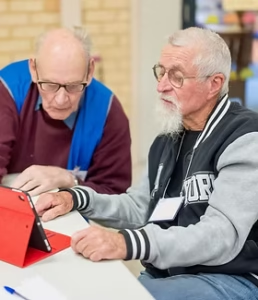
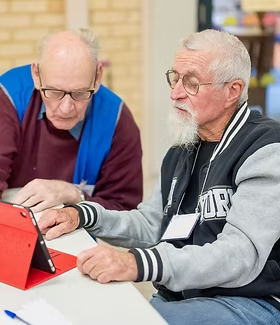
👉 This is where On-site IT support Melbourne makes a real difference — everything is done face-to-face, patiently and clearly.
When You Should Arrange Professional Help
You should consider in-home support if:
-
You’ve forgotten your Apple ID password
-
Photos are extremely important
-
You’re upgrading from an older device
-
The transfer failed once already
-
You want everything working properly the first time
Early help prevents data loss and stress.
Pricing Expectations in Melbourne
Typical pricing for iPhone setup and data transfer includes:
-
Call-out + first hour: $120–$160
-
Additional time: $30–$50 per 30 minutes
Most transfers are completed in one visit.
Frequently Asked Questions
Will I lose my photos during transfer?
No, when backed up correctly, photos transfer safely.
What if I forgot my Apple ID password?
Recovery is usually possible with proper verification.
Can apps be transferred too?
Yes, apps reinstall automatically when signed in properly.
Does everything transfer automatically?
Most data does, but accounts may need re-login.
Is in-home IT support safe for seniors?
Yes, reputable providers offer patient, face-to-face help.
Is transferring data to new iPhone Melbourne a common service?
Yes. Transferring data to new iPhone Melbourne is a popular request, especially after device upgrades.
Conclusion
A new iPhone should feel exciting — not stressful. If you need help transferring data to new iPhone Melbourne, professional in-home IT support can ensure everything moves safely, your photos are protected, and your new device is ready to use confidently.
Many Melbourne families trust Fixable for calm, reliable in-home tech support.