
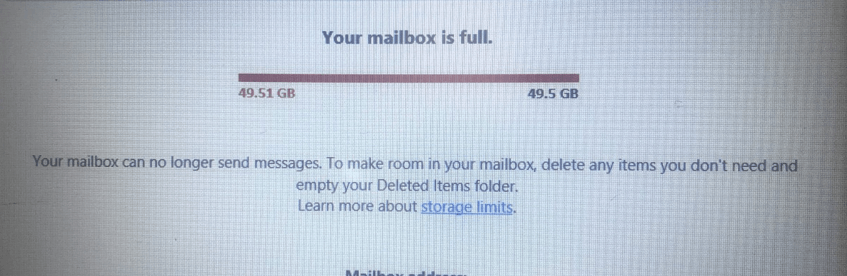
If your email inbox is full and not receiving mail Melbourne, learn the common causes, safe fixes to try, pricing expectations, and when in-home IT support can help.
Why a Full Email Inbox Causes So Much Stress
When an email inbox becomes full and stops receiving new messages, it can quickly cause worry—especially for seniors, carers, and busy families who rely on email for medical appointments, bills, banking, and staying in touch with loved ones.
Across Melbourne, this problem often appears suddenly. Emails stop arriving, but there’s no clear warning explaining why.
The good news is that this issue is very common and usually easy to fix with the right guidance.
Common Reasons an Email Inbox Stops Receiving Mail
Email accounts have storage limits. Once they’re reached, new messages can’t be delivered.
Common causes include:
Inbox storage full
Large attachments taking up space
Spam and junk folders filling quietly
Old emails never deleted
Sent items using storage
Multiple devices syncing the same account
For seniors, this can be confusing because email often looks “normal” until messages stop coming in.
Simple Things You Can Safely Check First
Before calling for help, you can try a few safe steps:
Delete old emails, especially those with attachments
Empty the Deleted Items folder
Empty the Spam/Junk folder
Restart your computer, phone, or tablet
Check if emails are arriving on another device
If emails still aren’t coming through, it’s best not to keep guessing, as important messages could be missed.
Why DIY Fixes Often Don’t Last
Many people delete a few emails and think the problem is solved. Unfortunately, inboxes often fill up again because:
Storage isn’t properly managed
Settings aren’t configured correctly
Attachments remain hidden in folders
Without proper setup, the same issue returns weeks later.
How In-home IT Support Fixes Email Inbox Problems Properly
A professional in-home IT technician can:
Check total email storage usage
Remove unnecessary data safely
Configure spam filters correctly
Set up automatic email cleanup
Ensure emails work across all devices
👉 This is where On-site IT support Melbourne is especially helpful, as everything is explained calmly and clearly, face-to-face.
What to Expect During an Email Support Visit
During an in-home visit, you can expect:
Email account check across devices
Safe cleanup of inbox and folders
Storage and security settings adjusted
Clear explanation of how to avoid future issues
Testing to confirm emails are working
This approach is ideal for seniors who want reassurance and understanding—not rushed fixes.
Pricing Expectations in Melbourne
Typical pricing for in-home email support includes:
Call-out + first hour: $120–$160
Additional time: $30–$50 per 30 minutes
Most email inbox problems are resolved within one visit.
When You Should Call a Professional
It’s a good idea to arrange in-home IT support if:
Important emails aren’t arriving
Medical or financial messages are at risk
You’re unsure what’s safe to delete
Email issues are causing stress or anxiety
Early help prevents missed information and bigger problems later.
Frequently Asked Questions
No. It usually means storage limits have been reached.
Only after emptying the deleted items folder.
Yes, with proper setup and simple habits.
Yes, reputable services provide patient, verified technicians.
Most visits take 30–60 minutes.
Yes. Email inbox full not receiving mail Melbourne is a very common reason people book in-home IT support.
Conclusion
A full email inbox can quietly stop important messages from reaching you. If you’re dealing with an email inbox full not receiving mail Melbourne, professional in-home IT support can fix the issue properly, explain what happened, and help prevent it from happening again.
Need On-Site IT Support in Melbourne?
If technology problems at home are becoming frustrating, Fixable provides friendly in-home IT support across Melbourne.
Our technicians can visit your home and help with computers, Wi-Fi, printers, email setup, and device troubleshooting — all explained in simple terms.
Helpful Technology Guides
Computer Running Slow Melbourne
Wireless Printer Setup Melbourne
Slow Internet Speeds at Home Melbourne
Help Removing Computer Virus Melbourne
Areas We Service
Fixable provides in-home computer help across Melbourne suburbs including Brighton, Camberwell, Balwyn, Kew, Doncaster, Glen Waverley, Hawthorn and surrounding areas.