
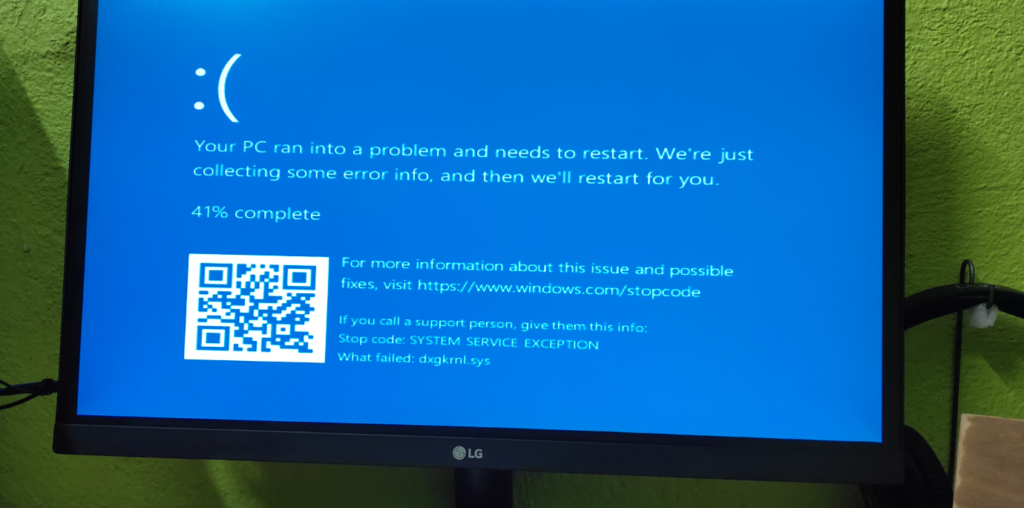
Is your computer freezing randomly Melbourne? Learn the common causes, safe fixes to try, pricing expectations, and when in-home IT support can help.
Why a Computer Freezing Randomly Is So Frustrating
When a computer freezes without warning, it can interrupt emails, banking, work, or video calls. For seniors, carers, and busy families, this can feel stressful—especially when you don’t know whether clicking anything will make it worse.
Across Melbourne homes, random freezing is a very common problem, particularly on computers that are a few years old or used daily.
The good news is that most freezing issues are fixable without replacing the computer.
Common Reasons a Computer Freezes Randomly
Random freezing usually happens because the system is struggling behind the scenes.
Common causes include:
Too many programs running at once
Software conflicts or failed updates
Low memory or storage space
Overheating
Hidden malware or adware
Outdated drivers
For seniors, the most confusing part is that the computer may work fine one moment, then suddenly stop responding.
Safe Things You Can Try First
Before calling for help, there are a few safe steps you can try:
Restart the computer once
Close programs you’re not using
Check if updates are pending
Make sure the computer isn’t hot to touch
Avoid clicking repeatedly when it freezes
If freezing continues, it’s best not to keep guessing, as forced shutdowns can sometimes cause data issues.
Why DIY Fixes Often Don’t Solve the Real Problem
Many people try:
Restarting repeatedly
Searching random fixes online
Installing “speed-up” programs
These often make things worse. Freezing problems usually need proper diagnosis, not trial-and-error.
This is why professional, in-home help is often the safest option—especially for seniors.
How In-home IT Support Fixes Random Freezing Properly
A professional technician providing IT support for seniors Melbourne can:
Check system health and memory usage
Remove unnecessary startup programs
Fix failed updates or driver issues
Check for overheating or malware
Optimise the computer for everyday use
👉 This is where On-site IT support Melbourne makes a real difference, because the technician can see exactly how the computer is being used at home.
What to Expect During a Support Visit
During an in-home visit, you can expect:
System performance checks
Clear explanation of what’s causing the freezing
Safe optimisation and cleanup
Advice to prevent future problems
Testing before the technician leaves
Everything is explained in plain English.
Pricing Expectations in Melbourne
Typical pricing for in-home computer support includes:
Call-out + first hour: $120–$160
Additional time: $30–$50 per 30 minutes
Most freezing issues are resolved within one visit.
When You Should Call a Professional
You should consider professional help if:
Freezing happens daily
Important work or emails are interrupted
You’re worried about losing data
The computer is needed for health or communication
Early support often prevents bigger issues later.
Frequently Asked Questions
Not usually — it’s often software-related.
Yes, many older computers can be optimised.
Yes, especially with patient, face-to-face help.
Most visits take 60–90 minutes.
Yes. Computer freezing randomly Melbourne is one of the most common reasons people book in-home IT support.
Conclusion
A computer that freezes randomly doesn’t need to be replaced straight away. If you’re dealing with computer freezing randomly Melbourne, professional in-home IT support can diagnose the issue properly, fix it safely, and restore confidence in using your device.
Many Melbourne families turn to trusted local providers like Fixable for calm, reliable in-home tech help.
Helpful Technology Guides
Computer Running Slow Melbourne
Wireless Printer Setup Melbourne
Slow Internet Speeds at Home Melbourne
Help Removing Computer Virus Melbourne
Areas We Service
Fixable provides in-home computer help across Melbourne suburbs including Brighton, Camberwell, Balwyn, Kew, Doncaster, Glen Waverley, Hawthorn and surrounding areas.