Need help transferring files to new computer Melbourne? Learn the safest way to move photos, documents and emails, and how in-home IT support makes it easy.
Why File Transfer Feels So Stressful
Buying a new computer is exciting — until you realise everything important is still on the old one.
Across homes in Melbourne, we often see seniors and families hesitate to use a new computer because they’re worried about:
-
Losing photos
-
Losing important documents
-
Losing email access
-
Making a mistake
-
“Breaking something”
The truth is, file transfer doesn’t have to be risky — but it does need to be done carefully.
What Needs to Be Transferred to a New Computer
When moving to a new computer, it’s not just documents. Most households need help transferring:
-
Photos and family albums
-
Word and PDF documents
-
Spreadsheets
-
Email accounts
-
Bookmarks and saved websites
-
Desktop shortcuts
-
Password access
-
Printer and scanner settings
For seniors especially, familiarity matters. The new computer should feel comfortable and recognisable.
Common Mistakes People Make During File Transfers
Without guidance, many people accidentally:
-
Copy files but miss hidden folders
-
Forget email setup
-
Duplicate files across devices
-
Lose track of saved passwords
-
Transfer unnecessary clutter
-
Leave important files behind
These small mistakes can cause weeks of confusion later.
Safe Ways to Transfer Files
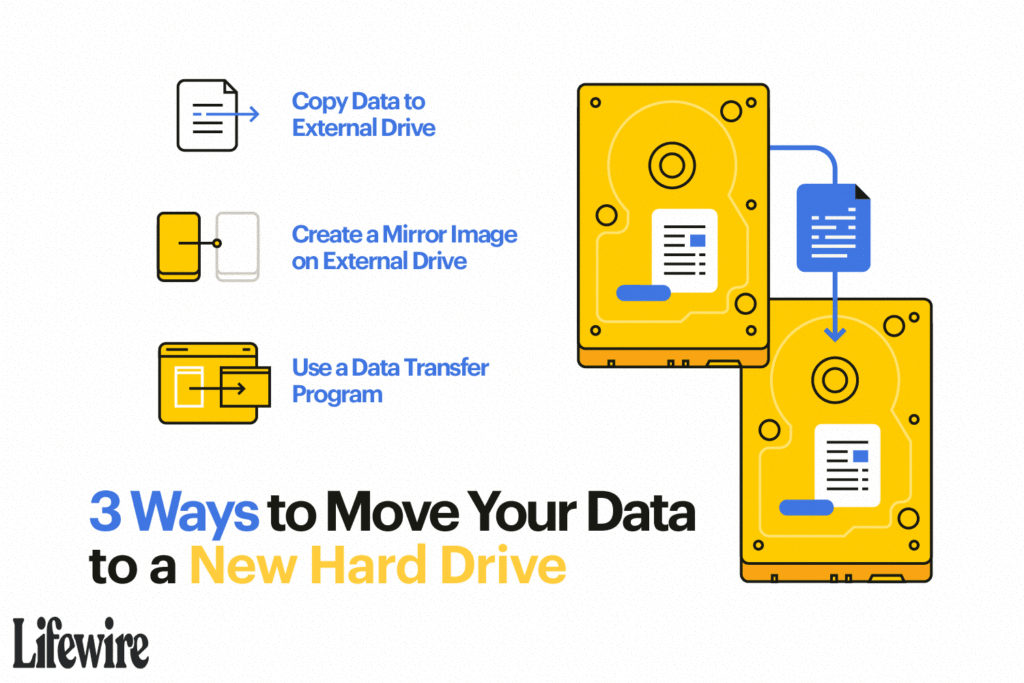
There are several safe methods to move files, including:
-
External hard drives
-
Secure USB drives
-
Cloud-based transfer
-
Direct computer-to-computer migration
-
Backup and restore systems
The right method depends on:
-
The age of the old computer
-
Whether it still turns on
-
The type of new device
-
Internet connection quality
This is why personalised, in-home setup is often the safest option.
How In-home IT Support Makes File Transfer Easy
A technician providing IT support for seniors Melbourne can:
-
Identify all important files
-
Back up everything safely
-
Transfer data securely
-
Set up email correctly
-
Connect printers and scanners
-
Ensure nothing important is lost
-
Organise folders clearly
👉 This is where On-site IT support Melbourne is especially valuable, because everything is done face-to-face, in your home, without rushing.
When File Transfer Is More Urgent
You should arrange professional help if:
-
The old computer is failing
-
Windows updates are no longer supported
-
You’re unsure what needs transferring
-
You don’t want to risk losing family photos
Early transfer reduces stress and protects important memories.
Pricing Expectations in Melbourne
Typical pricing for file transfer and setup includes:
-
Call-out + first hour: $120–$160
-
Additional time: $30–$50 per 30 minutes
Most file transfers are completed in one visit, depending on data size.
Frequently Asked Questions
Can files be transferred if my old computer is very slow?
Often yes, as long as it still turns on.
Will my photos and emails stay exactly the same?
Yes, when transferred properly.
Can printers and scanners be reconnected?
Yes, they can be configured during setup.
Is in-home IT support safe for seniors?
Yes, reputable providers offer patient, verified technicians.
How long does file transfer take?
Usually 60–90 minutes, depending on the amount of data.
Is help transferring files to new computer Melbourne a common request?
Yes. Help transferring files to new computer Melbourne is a common service when families upgrade older devices.
Conclusion
A new computer should feel like an upgrade — not a source of anxiety. If you need help transferring files to new computer Melbourne, professional in-home IT support can ensure everything is moved safely, organised clearly, and ready to use without stress.
Many Melbourne families rely on Fixable for calm, reliable in-home tech help.